Physical Address
304 North Cardinal St.
Dorchester Center, MA 02124
Physical Address
304 North Cardinal St.
Dorchester Center, MA 02124

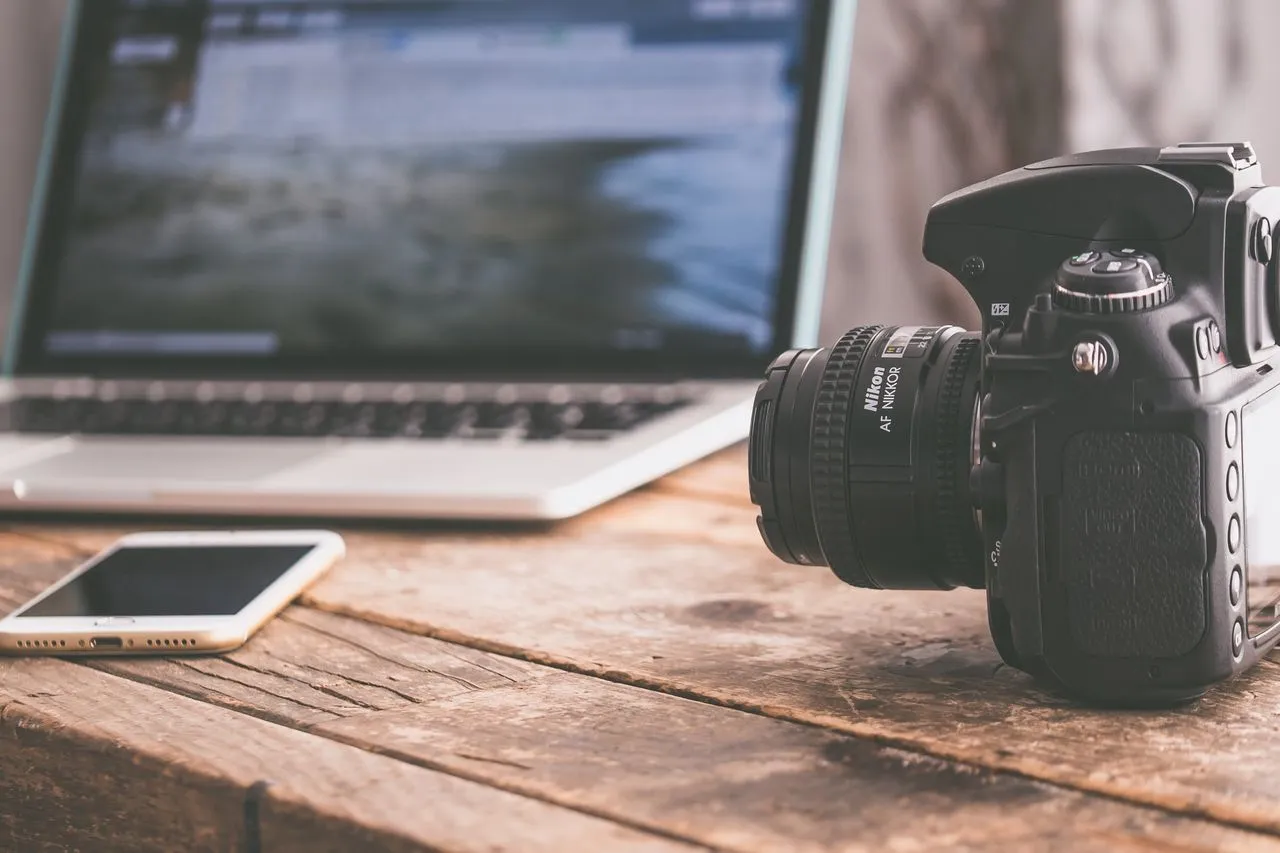
Digital cameras have completely transformed photography. Unlike traditional film cameras that relied on chemically coated film, modern digital cameras use electronic image sensors capable of converting light into digital information almost instantly.
Today, digital cameras power everything from smartphones and mirrorless cameras to DSLRs, drones, security systems, scientific instruments, and even space telescopes. Understanding how they work not only helps photographers capture better images but also explains why modern smartphones have become incredibly capable imaging devices.
This comprehensive guide explains the complete journey of digital photography—from its fascinating history to the science behind image sensors and digital image processing.
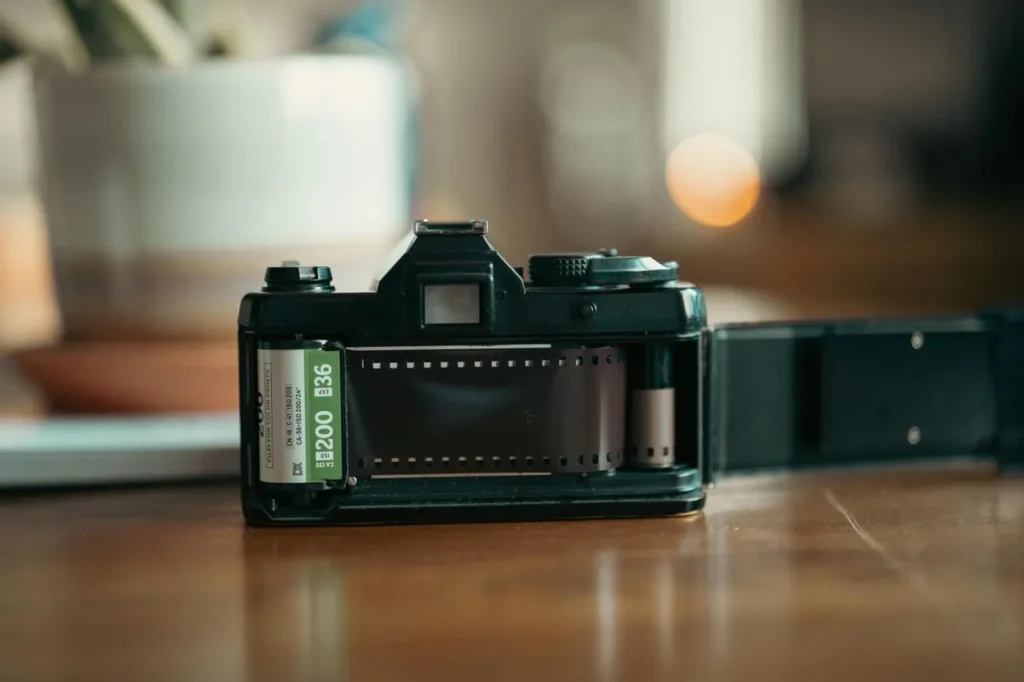
Before digital imaging, cameras captured photographs using photographic film coated with light-sensitive chemicals. Whenever light entered through the lens, these chemicals reacted and stored a latent image on the film.
The exposed film then required chemical development inside a darkroom before the final photograph could be viewed or printed.
Although film cameras produced beautiful images with excellent color rendition and dynamic range, they had several practical limitations.
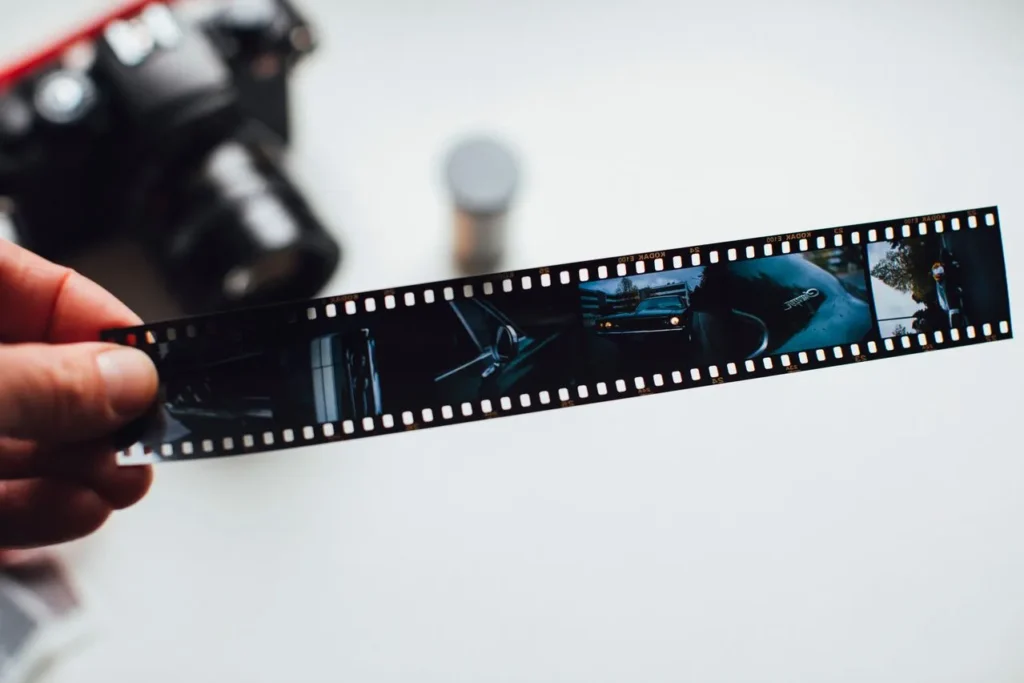
Even today, film photography has not disappeared. Many acclaimed filmmakers—including Christopher Nolan, Quentin Tarantino, and J.J. Abrams—continue using analog film for feature-length movies because of its distinctive cinematic look.
The world’s first digital camera was invented in 1975 by Steven Sasson, an engineer at Kodak.
Compared to today’s cameras, it was enormous and extremely slow.
Although primitive, this invention proved that photographs could be captured electronically without photographic film.
Throughout the late 1970s and 1980s, several companies experimented with electronic imaging technologies.
| Year | Development |
|---|---|
| 1981 | Sony introduced the Mavica concept, storing analog electronic images on 2-inch floppy disks. |
| 1980s | Kodak and Nikon collaborated on early digital imaging sensors and prototype systems. |
| 1986 | Canon introduced the RC-701 professional Still Video Camera using analog floppy disks. |
The 1990s marked the beginning of commercially successful digital photography. Cameras became more practical, allowing users to:
Several products helped shape this era.
| Year | Camera | Significance |
|---|---|---|
| 1990 | Dycam Model 1 (Logitech Fotoman) | First consumer digital camera sold in the United States. |
| 1994 | Apple QuickTake 100 | One of the first digital cameras designed for home computer connectivity. |
| 1995 | Casio QV-10 | Introduced an LCD screen for reviewing photographs. |
| 1996 | Canon PowerShot 600 | Canon’s first consumer digital camera with a 0.5 MP sensor. |
Between 2000 and 2010, digital photography rapidly replaced film photography. DSLR cameras became increasingly popular among professionals and enthusiasts, while smartphone manufacturers significantly improved mobile camera technology.
Major improvements included:
During the early 2000s, most digital cameras relied on CCD (Charge-Coupled Device) sensors because they produced excellent image quality with relatively low noise. However, CCD sensors consumed more power and were slower at reading image data.
As semiconductor technology advanced, CMOS (Complementary Metal-Oxide-Semiconductor) sensors became significantly faster, more energy-efficient, and less expensive to manufacture. By around 2010, CMOS sensors had become the industry standard for nearly all digital cameras and smartphones.
Did You Know?
Today, almost every smartphone, DSLR, mirrorless camera, webcam, and security camera uses a CMOS image sensor.

The rise of smartphones completely transformed photography. Manufacturers began integrating increasingly capable cameras into compact mobile devices, allowing users to carry a powerful camera everywhere.
One of the most influential devices was the Nokia N95, launched in 2007. Equipped with a 5-megapixel camera and Carl Zeiss optics, it demonstrated that smartphones could rival entry-level point-and-shoot cameras.
Over the following years, smartphone cameras rapidly evolved by introducing:

Another landmark moment arrived in 2008 with the introduction of the Canon EOS 5D Mark II. It became one of the first full-frame DSLRs capable of recording Full HD video, dramatically changing filmmaking, journalism, documentary production, and online content creation.
Independent filmmakers could now achieve cinematic image quality without investing in expensive cinema cameras.
The same year also marked the beginning of the mirrorless camera era when Panasonic and Olympus introduced the Micro Four Thirds system.
Unlike DSLRs, mirrorless cameras eliminated the traditional mirror mechanism, allowing manufacturers to produce lighter, smaller, and faster cameras without compromising image quality.
Today’s mirrorless cameras offer numerous advantages, including:
Today, companies such as Canon, Sony, Nikon, Fujifilm, Panasonic, and OM System primarily focus their flagship development on mirrorless camera systems.
At the heart of every digital camera lies the image sensor. If the camera lens behaves like the human eye, the image sensor functions much like the retina, capturing incoming light and converting it into electrical signals that a computer can understand.
Every photograph you capture begins with millions of tiny light-sensitive pixels working together in perfect synchronization.
Imagine a large field filled with millions of tiny buckets arranged in a perfectly organized grid.
When you press the shutter button, the camera opens for a brief moment and allows light to strike the sensor.
Bright areas of the scene pour more “rain” into certain buckets, while darker areas collect only a few drops.
Once the shutter closes, the camera measures exactly how much electrical charge exists inside every pixel. Full buckets represent bright areas, nearly empty buckets represent dark areas, and partially filled buckets become different shades between black and white.
This simple analogy explains the basic principle behind every modern digital image sensor—from smartphones to professional medium-format cameras.
The sensor itself is manufactured from highly purified silicon and contains millions of microscopic light-sensitive cells known as photodiodes.
When incoming light particles (photons) strike the silicon surface, they release electrons through a physical phenomenon called the photoelectric effect.
The brighter the incoming light, the greater the number of electrons generated.
At this stage, the sensor has successfully measured only the brightness of the light—not its color.

Image sensors are naturally colorblind. Without additional technology, every photograph would appear in black and white because photodiodes measure only light intensity.
To overcome this limitation, manufacturers place a microscopic color filter array directly above the sensor.
The most common design is the Bayer Filter Array.
This filter consists of millions of tiny:
These colors are arranged in a repeating pattern:
Green receives the highest percentage because the human eye is naturally more sensitive to green wavelengths, allowing cameras to reproduce more realistic detail.
Each pixel records only one primary color, requiring additional processing to reconstruct the complete image.
Once the shutter closes, every photodiode contains only a tiny electrical charge.
In bright daylight, this signal is relatively strong. However, in low-light environments, the electrical signal becomes extremely weak.
This is where ISO enters the process.
Contrary to popular belief, increasing ISO does not make the sensor more sensitive to light.
Instead, the camera electronically amplifies the existing signal generated by each pixel.
This works much like increasing the volume of a quiet audio recording. The desired sound becomes louder—but background noise also becomes more noticeable.
Similarly, increasing ISO amplifies both the image data and unwanted electronic noise, producing the grainy appearance often seen in low-light photography.
The amplified electrical signals are still analog values that computers cannot directly understand.
These signals are passed to an Analog-to-Digital Converter (ADC), which measures the electrical charge of every pixel and converts it into binary numbers.
For example, a 14-bit RAW image allows each individual pixel to record up to 16,384 different brightness levels, preserving remarkable tonal detail.
After analog-to-digital conversion, every pixel still contains only one recorded color value.
The camera’s image processor examines neighboring pixels and intelligently estimates the missing red, green, and blue values using sophisticated mathematical algorithms.
This reconstruction process is known as demosaicing (or interpolation).
Only after demosaicing is complete does the camera produce a full-color digital photograph.
From the moment you press the shutter button until a finished image appears on the screen, all of these processes typically occur in just a fraction of a second.
Earlier in the history of digital cameras, we saw how the industry gradually shifted from CCD sensors to CMOS sensors. While both technologies perform the same basic function—capturing light and converting it into electrical signals—they achieve this in very different ways.
Understanding these differences explains why virtually every modern smartphone, mirrorless camera, and DSLR now relies on CMOS technology.
A CCD sensor works much like a bucket brigade. After each photodiode collects electrical charge from incoming light, every pixel passes its charge to the neighboring pixel until the entire row reaches a single readout amplifier located at one corner of the sensor.
Because every pixel shares the same output circuitry, CCD sensors produce exceptionally clean images with very consistent quality. However, this process is relatively slow and consumes significantly more electrical power.
Advantages of CCD Sensors
Limitations of CCD Sensors
Unlike CCD sensors, CMOS technology places its own amplifier and readout circuitry directly beside every pixel. Instead of transferring electrical charges across the sensor, each pixel converts light into digital information almost instantly.
This parallel processing allows CMOS sensors to operate dramatically faster while consuming far less battery power.
Modern CMOS sensors are also capable of advanced autofocus systems, high-speed continuous shooting, 8K video recording, AI-powered subject tracking, and computational photography.
Advantages of CMOS Sensors
| Feature | CCD | CMOS |
|---|---|---|
| Image Quality | Excellent | Excellent (Modern Sensors) |
| Power Consumption | High | Low |
| Readout Speed | Slow | Very Fast |
| Video Recording | Limited | Excellent |
| Autofocus Support | Basic | Advanced |
| Manufacturing Cost | Higher | Lower |
| Used Today | Scientific & Industrial Equipment | Almost All Modern Cameras |
When comparing digital cameras, many people focus only on megapixels. However, sensor size has a much greater impact on image quality than megapixel count alone.
Imagine two fields collecting rain. One contains a few large buckets, while the other contains many tiny buckets. Even if both fields receive the same rainfall, the larger buckets collect significantly more water.
The same principle applies to camera sensors.
A physically larger sensor captures more light, resulting in:
A full-frame sensor matches the size of traditional 35mm photographic film and is widely regarded as the professional standard.
It delivers exceptional image quality, excellent low-light performance, and beautiful background separation, making it the preferred choice for professional photographers and filmmakers.
APS-C sensors are approximately 1.5× smaller than full-frame sensors but still provide outstanding image quality.
They offer an excellent balance between affordability, portability, and professional-level performance.
Developed by Panasonic and Olympus, the Micro Four Thirds system emphasizes lightweight camera bodies and compact telephoto lenses.
Although smaller than APS-C sensors, they remain popular among travel photographers and videographers.
Smartphone sensors are dramatically smaller than interchangeable-lens camera sensors.
Even today’s premium smartphones typically use sensors measuring around 1 inch or much smaller.
To compensate for their limited physical size, smartphones rely heavily on computational photography powered by advanced Image Signal Processors (ISPs) and artificial intelligence.
| Sensor Type | Typical Size | Primary Users |
|---|---|---|
| Full Frame | 36 × 24 mm | Professionals |
| APS-C | Approx. 24 × 16 mm | Enthusiasts & Students |
| Micro Four Thirds | 17.3 × 13 mm | Travel & Wildlife |
| Smartphone | Typically under 10 × 8 mm | Everyday Photography |
To better understand the difference sensor size makes, let’s compare two devices from real-world use: the Canon EOS 200D DSLR and the Xiaomi 15 smartphone.
| Specification | Canon EOS 200D | Xiaomi 15 |
|---|---|---|
| Sensor Type | APS-C CMOS | 1/1.31-inch Type (Light Fusion 900) |
| Sensor Width | 22.3 mm | ~9.8 mm |
| Sensor Height | 14.9 mm | ~7.4 mm |
| Total Sensor Area | ~332.3 mm² | ~72.5 mm² |
| Resolution | 24.2 MP | 50 MP |
| Native Pixel Size | ~3.72 μm | 1.2 μm (2.4 μm after pixel binning) |
Although the Xiaomi 15 offers a higher megapixel count, the Canon EOS 200D has a sensor area approximately 458% larger. This allows the DSLR to gather significantly more light, resulting in cleaner images, superior low-light performance, and greater dynamic range.
After light reaches the sensor, the digital camera must determine how to record that information. Modern image sensors generally use one of two scanning methods: Rolling Shutter or Global Shutter.
Rolling shutter is the most common method used in smartphones, DSLRs, and many mirrorless cameras.
Instead of capturing the entire image simultaneously, the sensor scans the scene line by line from top to bottom, similar to the way a flatbed scanner reads a document.
Although extremely fast, this process can introduce distortions when photographing fast-moving subjects or rapidly panning the camera.
Global shutter technology exposes every pixel on the sensor at exactly the same instant.
Because the entire frame is captured simultaneously, moving objects remain perfectly straight without rolling shutter distortion.
This technology is especially valuable for sports, wildlife, cinema production, industrial inspection, and scientific imaging.
Modern global shutter sensors are becoming increasingly common in professional mirrorless and cinema cameras as manufacturers overcome earlier limitations in dynamic range and low-light performance.
If the image sensor functions as the camera’s retina by capturing incoming light, the Image Signal Processor (ISP) acts as the brain that interprets and enhances that information. Every digital camera and smartphone contains an ISP dedicated to processing enormous amounts of visual data in real time.
Different manufacturers use their own proprietary image processors. For example:
As soon as the sensor finishes capturing light, the ISP begins processing the raw electrical data before saving the final photograph.
Every camera brand has its own distinctive color science. The ISP applies complex mathematical algorithms to reproduce colors accurately while maintaining the manufacturer’s characteristic image style.
It also calculates the correct white balance, ensuring that white objects appear white regardless of whether the photograph was taken under sunlight, fluorescent lighting, or indoor LED lights.
When photographs are captured at high ISO values, electrical amplification introduces visible image noise.
The ISP intelligently identifies unwanted luminance and color noise while attempting to preserve important image details such as hair, leaves, textures, and fabric patterns.
Modern AI-powered ISPs can distinguish between actual image detail and random electronic noise far more effectively than earlier generations.
No optical lens is perfectly flawless. Many lenses naturally produce optical imperfections such as:
The ISP automatically recognizes compatible lenses and digitally corrects these imperfections before saving the final image.
Modern smartphones depend heavily on computational photography rather than sensor size alone.
Instead of capturing a single photograph, many smartphones actually record multiple exposures simultaneously and combine them into one optimized image.
The ISP performs this entire process within fractions of a second.
Computational photography enables features such as:
Without the Image Signal Processor, today’s smartphones would not be capable of producing the impressive photos we see every day.
After the ISP completes image processing, the camera stores the photograph in a digital file format. Choosing the correct format determines how much editing flexibility and storage space you will have.
RAW files contain the original, minimally processed data captured directly from the image sensor.
Instead of permanently applying sharpening, contrast, saturation, and white balance, the camera preserves nearly all available image information.
Professional photographers prefer RAW because it provides maximum editing flexibility. Advantages
Disadvantages
JPEG is the most widely used image format in the world.
When shooting JPEG, the camera permanently processes the image before saving it.
The ISP applies:
Advantages
Disadvantages
High Efficiency Image Format (HEIF) is a next-generation image format designed to replace JPEG.
It offers improved image quality while requiring significantly less storage space. Advantages
Disadvantages
| Feature | RAW | JPEG | HEIF |
|---|---|---|---|
| Image Quality | ★★★★★ | ★★★★☆ | ★★★★★ |
| File Size | Very Large | Small | Medium |
| Editing Flexibility | Excellent | Limited | Good |
| Color Depth | 14–16 Bit | 8 Bit | 10 Bit |
| Best For | Professional Photography | Daily Use | Modern Mobile Photography |
Digital cameras have evolved from bulky experimental devices into incredibly sophisticated imaging systems capable of capturing breathtaking photographs and videos within milliseconds.
Behind every image lies a remarkable sequence of technologies working together: the lens gathers light, the sensor converts photons into electrical signals, the Analog-to-Digital Converter transforms those signals into digital data, and the Image Signal Processor refines the information before storing it as a high-quality photograph.
Whether you’re using a professional mirrorless camera, a DSLR, or a modern smartphone, the fundamental principles remain the same. Understanding these technologies not only helps you appreciate modern cameras but also enables you to make better purchasing decisions and capture better photographs.
A digital camera is an electronic imaging device that captures light using an image sensor and converts it into digital files that can be viewed, edited, and shared.
The first digital camera was invented by Steven Sasson at Kodak in 1975.
An image sensor is the component that captures incoming light and converts it into electrical signals used to create a digital image.
Modern CMOS sensors are generally better because they offer faster performance, lower power consumption, advanced autofocus capabilities, and excellent image quality.
Not necessarily. Sensor size, lens quality, pixel size, and image processing often have a greater impact on overall image quality than megapixel count alone.
Smartphones rely heavily on computational photography, AI-powered image processing, HDR, and advanced ISPs to compensate for their smaller sensor sizes.
JPEG is ideal for beginners because it requires no editing. RAW is recommended for photographers who want maximum editing flexibility and the highest image quality